Sunday, February 12, 2017
Netflix Categories - Browser Extension To Uncover Hidden Categories On Netflix
No comments:
Labels:
Chrome,
Software,
WebExtensions
Netflix Categories browser extension helps you to easily search hidden genre/categories on Netflix and bookmark it for quick access.

It did well on initial launch. It was published in many top tech blogs and news websites, gaining more than 50,000 users in the first week itself (although the trend may not continue) and is also the top most downloaded item on Lifehacker this week.
I encourage you to hack the code and feel free to discuss and critique.
Why?
Problem
Netflix has tons of hidden categories but it only shows less than a dozen on the website. It tries to tailor the categories based on your viewing behavior and displays only the ones that it thinks are best for you. But what if you want to browse other categories? Standard Netflix interface does not provide a direct way to do that.Hard Time Finding A Good Solution
A week before releasing this, I saw many trending articles listing codes to access the secret categories on Netflix. To use that requires searching for the category, copying the code and changing the URL. That was tedious and not worth it. I kept on searching and found a couple of browser extensions of which some have a monthly subscription fee, some mess up with the Netflix interface and some others are full of ads. Most of them actually do a combination of things. Most of them also listed thousands of unverified categories which had no content.So made it
I decided to give it a shot rather than whining on existing ones. Requirements are simple: easy accessibility, ability to search categories by name and remember favorite categories. Started spending some time that weekend forking one of my other personal projects made for a different purpose to have a basic search and bookmarking functionality. With in a few hours I realized that it was shaping better than what I was hoping for. So why not refine it a bit and release it for public? And here you go! Get Netflix Categories from Chrome web store or grab source code on Github.It did well on initial launch. It was published in many top tech blogs and news websites, gaining more than 50,000 users in the first week itself (although the trend may not continue) and is also the top most downloaded item on Lifehacker this week.
What's Next
More Verified Categories
There are only a few hundred categories listed on first launch but there are thousands of categories that needs to be verified and added to it. It is easy to grab all the category codes dump online and push them to the extension but there are a few problems. Netflix is believed to have more than 70,000 categories but the majority of them have no content. So I am trying to curate and add only the categories verified to have content. Working on automating this process. Having small but verified set of categories would provide better user experience than thousands of empty ones.Improved Performance
This quick release also came with quite significant technical debt. Although it works well for the current hundreds of categories, I doubt its ability to handle a few thousands. The JSON data file containing categories list has a lot of unnecessary redundancy, the "All Categories" view needs to be paginated to handle a large list and search field needs debouncing. I like the functional style of creating UIs where we declare UI components (like this) and render them whenever the state changes. Some might argue against it but I feel it is an elegant way. The current code renders the entire view irrespective of how small/large the change is. That can be a performance bottleneck. We need to figure out rendering differential UI updates to improve performance, or for the better may simply use ReactJS instead of re-inventing the wheel. React has virtual DOM stuff which already does that. Last, the search algorithm itself is pretty primitive. It just filters by running a string matching function over category names array. This can be greatly improved by using a better data structure (may be a Trie?). It will be released for Firefox and Opera after major issues are resolved.I encourage you to hack the code and feel free to discuss and critique.
✚ Add to Chrome | Chrome Web Store
More about this on the web
- The Huffington Post: This Simple Trick Makes Your Weird Netflix Dreams Come True
- Business Insider: There's a new way to search Netflix's hundreds of secret categories
- The Next Web: This Netflix extension for Chrome is your shortcut to a ton of hidden categories
- Lifehacker: Search Hidden Netflix Categories and Save Your Favorites With This Extension
- Product Hunt: Netflix Categories
- The Verge: New Chrome extension helps find all those hidden Netflix categories
- CNET: How to access Netflix's secret genre categories
- Mashable: Chrome extension uncovers Netflix's hidden categories
- Yahoo News: New Netflix extension for Chrome uncovers invisible content
- International Business Times: This simple trick will show you all the hidden categories in one place
- BGR: Use this Chrome extension to easily find Netflix’s hidden categories
- Tom's Guide (fr): Cette extension Chrome affiche toutes les catégories cachées de Netflix
- PC World: How to browse Netflix's hidden categories
- The Independent: How to unlock all of Netflix’s hidden categories: Free tool reveals secret genres
- MakeUseOf: Browse Netflix’s Secret Categories With This Chrome Extension


Monday, April 4, 2016
Easy Write - Write Using Only The Most Common Words
3 comments:
Labels:
Javasctipt,
Projects,
Software,
Web
Easy Write
I always used to find it difficult to write easy to understand product descriptions for the things I create. I recently came across a Mac app ClearText on Product Hunt. It allows you to write only using the top 1000 English words. It was simple and amazing but the problem is it only works on Macs. I cannot recommend it to my friends or my teammates who use a different operating system. One more problem I had with it is that it forces to remove uncommon words. I rather prefer a tool which encourages to use common words instead of enforcing it.So, I made it! 😃
I made a web based editor which allows you to write using the most common English words (I used the same word database used in ClearText). It highlights all the uncommon words in your text encouraging you to replace them with a commonly used word. It basically encourages you to write like Trump as compared to "V" in V for Vendetta. For example, use "beautiful" instead of "gorgeous", "stupid" instead of "imbecile" and so on. Check the GIF below to see it in action.
 |
| Easy Write in Action |
Applications
You can use it to write- Product descriptions
- Help pages
- Technical support email replies
- Children books
- Explaining elders or relatives how to use something
- anything else that you can think of.
I have friends who work in customer support. They encounter customers of various educational backgrounds. Some customers may find it difficult to understand simple (for most of us) things like browser and text editor. If someone cannot understand your instruction: "Open this link in a web browser and click on the cancel button", I recommend you use "Easy Write" and instead say "If you can see a "e" shape thing on your screen, click on it twice and and type www.somethingsomething.com and click on the red cancel button which you find at the bottom on the page". 😄 It may sound funny but it is not. It happens.
Conclusion
I hope you liked it. It only supports English for now. I am planning to support more languages and features soon.> Try EasyWrite
Tuesday, December 30, 2014
Sane Flashlight Android App
2 comments:
Labels:
Android,
Software


What does it do?
This app turn ON the camera flash LED when you need. The app turns ON the flash LED as soon as you open the app and you can toggle it by clicking anywhere on the screen.Why is this made and how does this differ from other apps?
There are many Android apps which are meant to do the same, but I personally did not like many of the apps which I tried. Most of them do more harm than good. So, I made one which works well and does not annoy.No Extra Permissions Required
Most Android apps in this category do spy on you. I was wondering why so many apps need access to your contacts, calendar and lots of other information which is not required to run the app. The only reason they do that is to spy on you. They steal your contact information, caller ID, and other stuff which is a total fraud. |
| A top listed flashlight Android app has access to your photos, Wi-Fi, Caller ID and many more |
Less Fancy but More Useful and Clutter free Interface
 |
| Screenshot when OFF |
 |
| Screenshot when ON |
I made the toggle button to cover the entire screen so that you need not search for the button and instead just click anywhere on the screen to either turn ON or OFF. I hardly used any fancy animations or images in the UI. This makes it lightweight and probably faster too. A brighter screen consumes a lot more power than a darker one. So, I have purposefully kept most part of the screen dark to save battery power. The borders toggle between black and white indicating the LED status.
No Unwanted Features, No Ads of any kind and works Well
I see many flashlight apps coming with too many unwanted features which are sometimes not even relevant to the app. Some of them are very heavyweight with all the unwanted junk. I tried to keep the functionality focused on just operating the flashlight well when you need. I found many Flashlight apps turn OFF after screen timeout. I tried to prevent that. It has no ads or other stuff that may annoy you. It just works. I like the Linux philosophy of do one thing and do it well. It does not run any background services so it does not affect your phone when you are not using the app. It is safe to install.Free and Open Source
Feel free to use the app and I encourage you to play with the code if you have any knowledge of it or if you want to learn. I will try to document the code well so that if you are a beginner, you can use the source code to learn making android apps. It is a very simple program so I think works as a good hello world project for Android. I will be really happy if you can make it better and share the code with me. Grab the Sane Flashlight source code on GitHub...Conclusion
It just took a couple of hours to make the first version of this app so I made it instead of searching for a better one from the thousands of apps in the play store. I have published it hoping that it will help you too. Try it and I will be glad to receive suggestions and feedback from you. You may download it from the Google Play Store.
Sunday, July 20, 2014
Apps and Services That Can Help You When You Travel to USA
No comments:
Labels:
Software
I have come to United States an year ago to pursue my masters. In the beginning days, I had no mobile, no laptop and no similar gadget with me. It was hard to communicate and roam around without these things. But I have learned many things which can help you when you travel to United States. There are many mobile apps and online services which can help you in your transition and later too. Here we go:
It is better to get a either a smartphone (I prefer Android and make sure it works in USA), a laptop or tablet when you come to USA. Otherwise buy one after you arrive. Most of these apps or services are recommended assuming that you have an easy access to internet and Wi-Fi connection.
Most of these apps may work for you everywhere independent of the location, but a few of them are relevant only for the United States. Some of my friends are coming to the USA to pursue their higher education and a few are coming on some job and some of you can be tourists. Whosoever you are, I hope this post helps.
It is better to get a either a smartphone (I prefer Android and make sure it works in USA), a laptop or tablet when you come to USA. Otherwise buy one after you arrive. Most of these apps or services are recommended assuming that you have an easy access to internet and Wi-Fi connection.
Communication
Google Voice [PC/ Linux, Mac, Android]
If you have a personal laptop or a PC, you can use Google Voice to make phone calls and SMS across the United States for free. There is also an Android app, but it works only if you have a mobile service. I mean to say that the Google Voice Android app does not work if you do not have a SIM card, but you can make calls from your computer/ laptop from Gmail. You can add a few bucks to your Google Voice account and use it for cheap international calling.UppTalk [Android]
There are many free calling apps for Android in the United States. I have tried many of them, but felt this was better than the flock. If you have a mobile device and do not have a SIM card or mobile service yet, this can come to your rescue. You will be assigned a number and you can call anyone in the US and receive calls for free. You just need WiFi connectivity for this to work.
call2friends.com [Web with flash plugin]
This website provides limited free calling to many countries. It provides free calling to India for a minute per day and for United States for about 3 minutes (at the time of writing this post). Although this does not sound a good alternative, it helps sometimes. I was using this to call my parents in India and ask them to come online on Skype. I used to use Google voice from my laptop for calling from the United States and used this website to notify my family or friends to appear online.Facebook Messenger [Android, iOS, web]
Not yet popular, but Facebook messenger has recently added a feature to make voice calls. This is an awesome feature and can help you, call your friends anywhere in the world and that too without having a mobile number. However, to make a call the person on the other side should also have this app installed. The good thing is that most of the people in US have a smart phone, WiFi connection and this app installed. We may not have phone numbers of all our friends, but we have most of our friends on Facebook which makes this app very useful at times.Calling Cards
There are many proxy calling services using which you can make cheap international calls. I hardly use these services as I go with Google Voice but most of my friends do. Most of my friends use indiald.com, telcan.com and other similar services to make cheap calls to India. You can give them a try if needed.
Finding Accomodation
There are many services which can help you find vacant houses around you. Here are the ones which I felt can help you out.Zillow.com
This is an excellent app to find houses around you. It has both a web version and an Android app. The Android app can find houses round you based on your location. It marks vacant houses on a map and we can also search by distance from your location. But this app may not show all the vacant houses around. Its database was not that good at the time I used it.Trulia.com
This is similar to Zillow. I hardly used this app, but many people and tech blogs recommend this. Also, it has better ratings on Google Play and seems to be more popular than Zillow. There can be many other houses not listed on these apps, so it is always a good idea to check by visiting local real estate agents.
Split Expenses
Splitwise.com
Most students and employees plan to live in a shared apartment after arriving in the US, at-least in the first few months unless you are rich enough. If you are sharing an apartment with your friends, you may have to split expenses among your roommates. This app does exactly that and simplifies a few complex calculations and saves a lot of time.SplitEasy
SplitWise is a good service, but we had a bad experience with it. A few entries got modified or, deleted without our intervention. Mistakes in financial matters is not always a tolerable issue, so we planned to make a software of our own. I started coding it on a fine weekend in Python and we have replaced SplitWise with this for our in-house purposes. This uses entries from an excel sheet and does the calculations. I don't recommend you use it in the present state (at the time of writing this post) as it is not well documented and doesn't have a pretty interface. I will post it on my blog at all if I document it and make it user friendly.
Other
Explore around you with Google Maps
You can use the Google Maps Android app to easily find places around you like restaurants, gas stations, parks, offices, etc. In the current interface, if you click on the user icon on the right-top corner, you will be shown places around you in categories. You can also find user ratings to all the places. That's a very helpful feature if you are new to that place. I recently went to Seattle on a vacation to my sister's house and this app helped me a lot. Every day in the evening, I used to open this app and plan for my next days' trip. I've enjoyed a lot in this vacation and thanks to Google Maps.Did I miss Anything?
I have listed apps and services that I have used and felt are also be helpful to you. But that does not mean I am aware of all the wonderful apps and services. Let me and other readers know if you know any other good apps or services. That would be very helpful.
Most of these apps may work for you everywhere independent of the location, but a few of them are relevant only for the United States. Some of my friends are coming to the USA to pursue their higher education and a few are coming on some job and some of you can be tourists. Whosoever you are, I hope this post helps.
Friday, March 1, 2013
Causal and Non-Causal Systems Better Explained
18 comments:
Labels:
Electronics,
Explanations,
Mathematics
 You must have come across causal and non-causal systems at some point in your Engineering life. Most of us might have simply studied that Causal systems are those systems which respond only to present and past inputs whereas Non-Causal systems can also respond to future inputs. That is correct but there is a lot more to explore about it. In this article we shall discuss the fundamental ideas and philosophies involved in this concept. I am not explaining the mathematics of causal systems here as they are readily found in any related text book and also on the Internet. You may refer to your text books any other source if you do not know what it is. Let us explore more on this.
 Causality
What is a causal system?
A system is said to be causal if the output of the system depends only on past or present values of the inputs but not on future values of the inputs.
Understanding a Causal System
The term "causal" is derived from the word cause. The cause is anything that gives rise to an action, phenomenon or condition (according to English dictionary). By the meaning of cause, we can understand that cause is nothing but an input. So it is understood that a causal system is the one which responds to a cause. The cause is the input of the system and the response is the output of the system. That means, if a system produces an output only because of events (causes or inputs or excitations) that have happened in the past or happening now, such systems are called as causal systems. Causal systems are also called non-anticipative systems.
Most (almost all) of the systems that we see in our daily life are all causal systems. Your mobile phone is a causal system because it rings only for the current call but it cannot ring for a call that may happen tomorrow. Examples are too many for causal systems because most of the systems that exist and that we see in our daily life fall into this category. Even we humans are causal systems. Our present actions (outputs) depend on the events (inputs) that have happened to us in the past and the events that are happening now but we cannot respond to events which will happen tomorrow. We may sometimes respond to events that we expect them to happen in future. But we can never respond to events that have happened in the future. Also, our expectation of the future is based on our past and present experiences. So, we are not that powerful enough to cross the borderline of causality.
The concept of causality is as old as human civilisation. Many philosophies and theologies mention about the causal nature of humans and the universe. The karma siddantam discussed in the Santana Dharma (Indian philosophy) is one such theology. Alright, we shall restrict ourselves to our domain and stick to the topic.
Causal systems are classified as having memory and memory less systems. Causal systems which can respond to causes in the past are all memory having causal systems. This is because, a system can remember causes in the past only if it has memory. Else, they are memory less systems.
What is a Non-Causal System?
A system whose present response depends on future values of the inputs is called as a non-causal system. There are two types of non causal systems namely, acausal and anti-causal.
Acausal systems are those whose present response depends on future values as well as past and present values of the input.
Anti-causal systems are those systems whose present output depends only on the future values of the input or excitation but not on the past and present values.
Whenever we use the term non-causal, it implicitly means acausal in our discussion unless otherwise mentioned.
Now comes the interesting part of the discussion.
Understanding Non-Causality
In the earlier section of causality, we have mentioned that almost all the physical systems that exist are causal in nature. A non-causal system gives an output to the inputs given to the system at some time in the future. It sounds crazy right? It is really hard to imagine any physical system that responds to future inputs. It seems something godly in nature which cannot be perceived easily. This is why non-causal systems usually do not exist physically in nature. They are not natural systems and are considered as virtual in most cases.
When there is no physical system that is non-causal in nature, then why do we classify systems as causal and non-causal when they do not have any physical significance?
Although non-causal systems hardly exist in nature, they can be made possible in virtual environments where we can define our own time axis (not the actual physical time).
Mathematical Possibility of Non-Causal Systems
 |
| Non-Causal system |
Let me define a system mathematically as w(t) = x(t+3). It turns to be a non-causal system. For example, take t=1sec. The system response will be
w(1)=x(1+3)
=> w(1)=x(4)
We can see that the system which we have defined gives the output of 4th second at the 1st second itself. Wonderful! As we have the right to write mathematical equations however we like irrespective of its physical existence, we can also make Non-Causal systems a mathematical reality.
Physical Possibility Of Non-Causal Systems
Alright, we have now understood that non-causal systems can be made possible on paper. But, can we make it really possible in our real world?
The answer is YES! There is a possibility.
Non-causal systems are possible when the system has recorded input and output data.
Let me illustrate it with an example. Let us consider you as a system. Now you are watching a live cricket match. You are now a causal system because your feelings and emotions depend only on what happened in the past and what is happening at present.
However, if you record it and watch the same cricket match later, you will know what will happen after some time in the match (because data of the match is already recorded in your mind). Now, your feelings and emotions concerning the match not only depends on the past and present events in the match but also depends on the future events of the match because you already know what happens. So, if we consider you as a system, the recorded cricket match as an input and your feelings as output and the time axis is fixed with respect to the recorded data as in the above example, then you are a NON-CAUSAL SYSTEM! Hurray!
From the above illustration we can conclude that non-causal systems can be made possible when the system has knowledge of recorded values of input and output values and the time axis is taken in reference to the recorded data.
People and books usually say that all physically realizable systems are causal in nature and non-causal systems do not exist naturally. That is true, this means that no system can be non-causal when it has no data about the future. So, to make a non-causal system possible, we have to provide future data to the system. As it is not really possible to do that naturally, we have to shift the time axis to the recorded data which is advance than the real time axis as we have done in the illustration above.
Final Thoughts about Causality
Causality or non-causality is not just a mathematical representation but has quite deeper physical interpretations. Also, non-causality of a system is possible in some way or the other. That is why it is still present in the literature and we still speak of it.
Friday, October 19, 2012
Substitute Earphones for Microphone in Emergency
2 comments:
Labels:
Computers,
Electronics,
Hacks,
Tips
 |
| Earphone as Microphone |
Most of us these days have microphones (mike) available for our desktop computers and it is usually integrated by default for most laptops. But what if we do not have a mike readily available when it is needed badly? It is true that all of us are hackers intuitively. Whenever we do not have something that we need, we try to make use of other available things to get our work done. We shall do the same here.
Wednesday, October 3, 2012
How to select a Major Project or Final Year Project
3 comments:
Labels:
B-Tech,
Projects,
Tips

I've received a few mails asking for suggestions regarding major project (FYP) selection. So, in this article let me share my opinions on selecting your final year project.
Although most of the discussion in this article is relevant to all engineering students, it may focus more on Electronics and Communications engineering and other local preferences.
Most of you reading this article must have successfully completed your Industry oriented mini-project in third year in engineering and entered your final year.
Your project work plays a great role in and after your engineering life. Not only the marks that you get from your project work but also it will help you understand the essence of what all you have learned throughout your engineering. Also, many core companies emphasize more on your project work than our certificates or aggregate marks. This means that your project work not only fetches you marks but also knowledge, skills and may be a Job too.
If we consider an electronics student, we usually have four areas to work on, namely:
- Embedded systems,
- Communications,
- VLSI design and
- Signal processing
unless you are adventurous enough to choose some other category. So, most of you will probably choose from the given four categories only.
Selecting your major project depends on your mini-project selection and your interest.
Making something better is preferred to Making something new
If your mini-project has a very good scope of improvement in terms of features (not stability), then I suggest you to continue to take up the same project and make all those improvements in your major project. For example, if you chose a simple Water Level Controller as your mini-project, it is only a simple embedded system project as of now but there is scope to extend it to operate it wirelessly, and many more optimizations. Also now it combines wireless communications too. In this case it is recommended to take up the same project and improve it.
When you can't make it better, then try making something new
If your mini-project is already a perfect piece or else if it is not worthy to invest our time in improving it, then I recommend you to choose a new branch. For example, If you have taken an embedded systems project like Automatic Roomlight Controller which is almost a perfect implementation and does not need much improvement in terms of features, then it is a wise choice to choose your next project from other three branches mentioned above. I am not saying that you should not choose from the same branch twice but in present scenario, it is good to cover different branches especially to increase your chances of getting a job easily. If you have all the project works done on on a single area of study (ex Embedded) but if you get an opportunity in a very good core company which works on some other field (ex VLSI), then those people may not prefer you much in-spite of your talent and marks. There you cannot convince them that you have done wonderful projects in some other area as they are not bothered about it.
If You Have Your Own Interest
The above two paragraphs are for most of the people who treat all the branches of study almost equally and have no strong and specific interest towards any branch. In-fact, many students are like that. But if you are something special and if you have a dream to build something great, then do not contaminate your mind reading this article. Just focus on your work, try to collect all the resources you need to make it and have a firm belief that you can do. If you have good ideas but if you do not have necessary support or resources to build it, you may contact me. I will try to help you if I can.
Are you still in a fix to select your project? Leave your comments below.
Share this article if you like it and do not forget to subscribe through either Email, Facebook or Twitter.
Sunday, August 26, 2012
Launch Terminal at your Fingertips
3 comments:
Labels:
Computers,
Linux,
Software
Are you a geeky Linux user who works with the Terminal very often? Then this tip is for you. Sometimes when we use the terminal quite frequently along with the other programs, it is not always convenient to launch the terminal or focus the terminal window always. So, is'nt it good if we have a terminal appear and disappear with just a key press?
Did you guess <ctrl>+<alt>+T ??? No. It just launches a new terminal window every time we use it. But that is not what we usually want and here is an application that does just what we want.
Did you guess <ctrl>+<alt>+T ??? No. It just launches a new terminal window every time we use it. But that is not what we usually want and here is an application that does just what we want.
Monday, August 20, 2012
An Easy Way to Turn Off Monitor on Linux and Other Operating Systems With Just a Click
There are many situations when we need to keep our computer running without using monitor. It usually happens when we are downloading any large file or when we are leaving our computer for a short while. In such a case, most of us leave our computer monitor turned ON even though it is not required until the power saving system automatically turns it off after some time. Monitor consumes a significant amount of power. So, turning it off when not in use will save power.
You might be thinking "why not use the button provided to turn off our monitor?"
Yes, you can do that way but not always. It can cause wear and tear and the button may get damaged sometimes as it has happened to me now (esp if you had an old monitor). Also, this button is not provided for most laptops these days. In this article I will tell you an easy solution to turn Off your monitor on Linux.
You might be thinking "why not use the button provided to turn off our monitor?"
Yes, you can do that way but not always. It can cause wear and tear and the button may get damaged sometimes as it has happened to me now (esp if you had an old monitor). Also, this button is not provided for most laptops these days. In this article I will tell you an easy solution to turn Off your monitor on Linux.
Monday, August 13, 2012
Source Code of Linear Equation Step by Step Solver in C Language
No comments:
Labels:
Mathematics,
Programming,
Projects
In the previous post, I have shared the executable of "program to solve system of linear equations with step by step solution". I got many requests from the readers to publish the source code. So I have rewritten the source code from scratch in C language. This version has a few impressive improvements than the previous one. In this article, we shall have a brief introduction to this program with a screenshot tour. The download links for the executables along with the source code are available for download on my facebook page.
Wednesday, August 8, 2012
Program to Solve System Of Linear Equations With Step By Step Solution
8 comments:
Labels:
B-Tech,
C,
Mathematics,
Programming,
Projects
Four years ago when I was in my first year of B-Tech, I have written a program in C to solve for given system of linear equations. I actually wrote it for my personal use then. Once my maths lecturer gave a long assignment on solving system of linear equations. I did not feel like doing that. So, I wrote this program to solve the equations by generating a step by step solution (so that I can copy in the assignment) and also give information about all the related properties like rank of the matrix, nature of solution, etc. (If you are in a hurry, you can scroll down the page to quickly download the program)
Tuesday, July 24, 2012
Automatic Room Light Controller With Single Door Bi-Directional Visitor Counter
66 comments:
Labels:
Electronics,
Home Automation,
Projects
Automatic Room Light Controller with Single Door Bidirectional Visitor Counter is a reliable
circuit that takes over the task of counting number of persons/ visitors in the
room passing through a single door and also turns ON the room light when there
is at-least one person in the room and turns OFF when the room is empty. The
total number of persons inside the room is displayed on seven segment display. We can use any other appliance like fan or anything else instead of the light.
Watch this video to get an overview of this circuit.
Monday, June 18, 2012
Install Dropbox Before This Month Ends
No comments:
Labels:
Linux,
Software,
Windows
 Dropbox, the most popular file syncing and sharing service is about to put an end to Public Folders shortly.
Sunday, June 17, 2012
Shadow Counter Circuit
9 comments:
Labels:
Electronics,
Projects
 |
| Block Diagram of Shadow Counter |
Shadow counter is a circuit which can count the number of shadows incident on it. Shadow counting is the main principle of many devices like currency note counting machines, visitor counters, many security systems , etc.
In this article i will teach you how to design a shadow counter circuit.
I have made this circuit based on Shadow Alarm by D.Mohan Kumar published in Electronics For You- January, 2006.
The block diagram of shadow counter is shown above. The intensity of light is sensed by the Light sensor. I have used a Light Dependent Resistor (LDR) as light sensor.
The comparator circuit is designed such a way that its output changes from HIGH to LOW when the shadow occurs. The output of the comparator triggers the monostable multivibrator which in-turn triggers the counter circuit. I have used µA741 Op-Amp as a comparator.
The counter circuit stores the number of shadows occurred in the past and increments the count by 1 unit when triggered. The output of the counter is given to a display using a display driver. I have used a common cathode seven segment display in my circuit.
The monostable multivibrator is used to avoid false triggering. For example, when a shadow is falling for a quite long time (a few seconds), then due to the partial shadows that may occur due to the same object, the comparator gets triggered multiple times for the same object. This increments the count many times for the shadow of only one object. Using a monostable multivibrator in between as I have done eliminates or at-least reduces that problem. I have used a 555 timer as a monostable multivibrator.
You can see the video of Shadow counter here:
The circuit is quite easy to implement. So, I encourage you to do it yourself. This circuit is basically aimed at hobbyists and is also suitable as a college project (mini project) for Electronic Engineering students.
However, I have also done the entire circuit on board along with complete documentation and presentation (PPT) of shadow counter. If you are interested in getting the circuit along with the documentation and presentation, you can contact me by clicking here.
Saturday, May 5, 2012
Combinatorial Digital Circuit Logic Determining Device
19 comments:
Labels:
Electronics,
Projects
 |
| Block Diagram Of Combinatorial Digital Logic Determining Device |
Here is my new electronics circuit for you. This is a brief description/ abstract for the project. Combinatorial digital circuit logic determining device is a circuit which determines the logic of any given combinatorial digital circuit. This is a very helpful tool to know the functionality of an unknown digital circuit. The device has probes which are plugged to the inputs and outputs of the digital circuit under test. This device then determines and displays the functionality of the circuit under test in the form of a boolean equation.
The circuit has number of probes equal to the number of inputs and outputs of the circuit under test. I have implemented it for two inputs and one output. Although, you can make slight modification of the code to make it work for as many inputs and outputs you want.
Wednesday, April 25, 2012
Automatic Water Level Controller With Error Indicator Alarm
10 comments:
Labels:
Electronics,
Projects
 |
| Block Diagram |
Tuesday, January 3, 2012
JNTU ECE 4-2 R07 Syllabus View and Download
No comments:
Labels:
JNTU
Here is the complete syllabus of Jawaharlal Nehru Technological
University Hyderabad (JNTUH) for Electronics And
Communications Engineering (ECE) branch 4th year 2nd semester R07 regulation.
Preferred textbooks and reference books are also included.
Wednesday, December 7, 2011
Plot Your Graphs Using Google Search Engine
3 comments:
Labels:
Internet
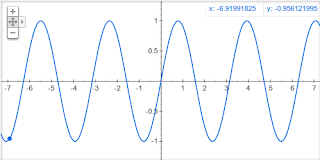
Many of us know that Google is the top most general purpose search engine. But an ordinary user may not be aware that it is capable of doing many more fabulous tasks that are usually hidden and not easily available in the interface. One such thing which I have found recently is that Google can plot graphs of mathematical functions.
Tuesday, November 22, 2011
How To Get A Computer At A Cheaper Price Without Any Compromise
2 comments:
Labels:
Computers
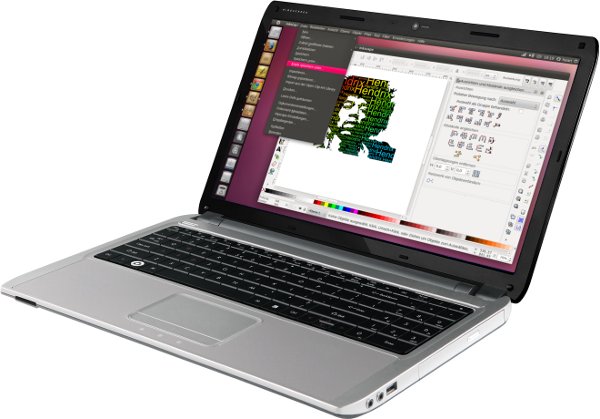
Price is something which everybody cares about while buying anything, however rich you may be. The same applies when buying a computer (esp Laptops and netbooks). What we usually do to get them at a cheaper price is either decrease the functionality or buy any substandard computer. But as the title of this post implies I am sharing a few tips by which you can get the same standard hardware and with the same configuration at a cheaper price.
Sunday, November 20, 2011
Arduino For Beginners: Introduction and Related Articles
No comments:
Labels:
Electronics

Subscribe to:
Posts (Atom)

